News Ticker

Menu

Browsing "Older Posts"

Browsing Category "Blogging"

37 Ways to Make Your Blog Awesome and Standout [Ultimate Guide]

Tuesday, March 31, 2015 / No Comments
We discuss traffic generation, and monetizing traffic a lot here on HotShot Blogger, but  with over 152,000,000 blogs on the internet, I think its time we share some ideas on how to make your blog awesome, and really standout. We’re all competing for our viewers attention and so I've compiled these 37 ways to make your blog awesome and standout.

These are ideas that you should be able to implement right away. Like many of my lists, these are not in any particular order of importance.
1. Love what you’re doing – If you don’t love the subject that you’re blogging about, find one that you are.
2. Be an Active Member – This should go without saying, but if someone posts a question, answer it. If you’re doing Social Media, the same applies. You should be accessible, and as active as you can be.
3. Breakup large articles with appropriate headings, and images. Remember, a picture is worth a thousand words.
4. Content is King. Live by that rule. Over-optimized content is no fun to read, and will not build the following that you’re looking for. Your focus should be great content.
5. Convert some of your how-to articles into short videos. To get the most views you should try to keep them under 3mins when possible.
6. Try to keep adverts to a minimum. Sure, we all know that making money is important, but things like flashy ads, or pop-ups will drive away your audience in droves. This is an example of making your blog standout for the wrong reasons.

Best Color Palette Tools for Web and Graphic Designers

Friday, March 27, 2015 / No Comments
Best Color Palette Tools for Web and Graphic Designers
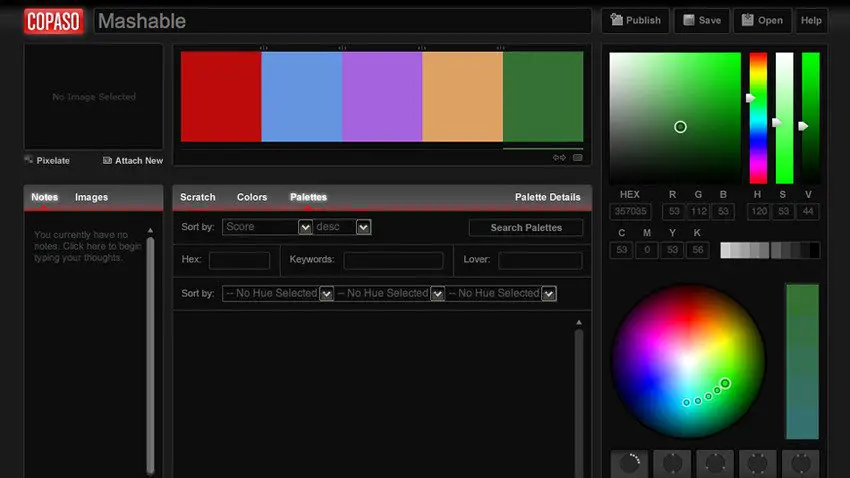
As a web or graphic designer you must have a keen sense of color combinations and feel which colors look good together and which don’t. Anyway, even with this great skill in color combining, you may find yourself in situations when you just feel less inspired. That’s when these best color palette tools come in handy!
These 20 best color palette tools will help you choose and create the best color palettes for your graphic or web designs. Choose the one that is perfect for you and start using it! Enjoy!

COLORlovers – ColorPaletteSoftware

COLOURlovers is a creative community where people from around the world create and share colors, palettes and patterns, discuss the latest trends and more!
COLORlovers

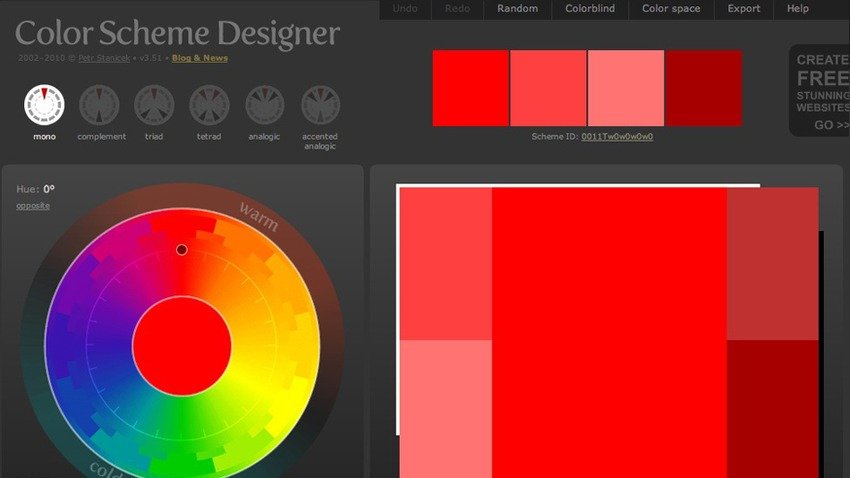
Color Scheme Designer

This is a designer tool for creating color combinations that work together well. Generate matching color schemes like never before!

Color Scheme Designer

Color Blender

Main Difference Between HTTP and HTTPS

Tuesday, March 24, 2015 / No Comments
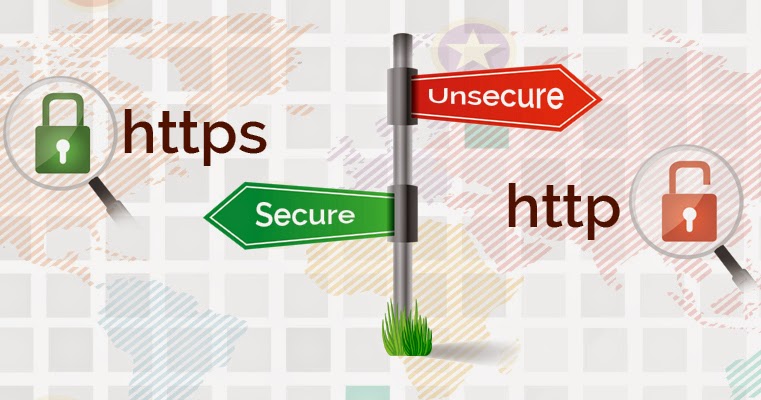
Whenever you access a website, it begin with “HTTP” or “HTTPS“. It’s just an “S” the most, however it makes a biggest difference and it is necessary to know the specifications to find out if the navigation, in particular webpage is safe or not.


HTTP (Hyper Text Transfer Protocol) is a protocol, i.e. a certain rule that lets your computer to exchange data with a server that hosts a website. This means once connected using this protocol, machines can send and receive any text content – the codes that result in the web page accessed via the web browser.

The issue with HTTP is that in Wi-Fi networks or other favorable connections to phishing (wire fraud) and hackers, malicious people can cross the road and intercept data transmitted relatively ease. Hence, the HTTP connection is considered as insecure.

HTTPS (Hyper Text Transfer Protocol Secure), which inserts a layer of protection in data transmission between your computer system and the web server. On sites with HTTPS address, communication is encrypted, tremendously increasing the data security. It is as if client and web server talked a language that only the two understood, making it difficult to intercept the information.

Coding Standards For WordPress [Tutorial]

Friday, March 20, 2015 / No Comments
The reason that we have coding standards at all (not just for WordPress) is to create a familiar environment for programmers working on a project. WordPress in particular encompasses a wide variety of products. From the core itself to themes and plugins, there is a lot to look at – and a lot to get mixed up about.
If everyone formats their code the same way, uses comments, the same style of documentation and so on, working together becomes that much easier, and the learning curve of joining a new project won’t be as steep.

The need for cohesion in WordPress is magnified by the state in which the codebase is. WordPress does not follow a strict object oriented approach and doesn’t use an MVC pattern. Projects that follow an OOP and MVC guidelines without exception (like Laravel) have consistency and best practices “baked in” due to their structure.

WordPress is unfortunately ripe for spaghetti coding, aka doing whatever you want. Best practices are difficult to enforce simply because products employing bad code may work just as well (on the surface).

Use Dropbox To Host Your WordPress Website Images

Friday, January 30, 2015 /
Dropbox is a great way to share content with the world easily. It offers hot-linking to images which is useful. Recently we talked about how hosting your media content on a faster third-party server can help you out in many ways. If you're a Dropbox user, you can use your Dropbox storage to host images from your small to medium-sized website. Today, we'll talk about using Dropbox as an external media storage for your WordPress site.


Some third-party platforms have the advantage of speed. Typical web servers might not be well suited to serve media content quickly, especially large files. So these third party platforms can take care of that.

How to Install WordPress on Windows Locally using WampServer

Tuesday, May 27, 2014 / No Comments

What is WordPress?

WordPress is the most popular blogging system in use on the Web, free and open source blogging tool and a content management system (CMS) based on PHP and MySQL in existence today, which runs on locally on your computer using WampServer and also on live globally web hosting service. Now we are going to discuss WordPress installation on Windows locally using WampServer.

 Install WordPress on Windows Locally using WampServer

What is WampServer?

WAMP or WampServer is a compilation of Apache web server, PHP and MySQL bundled for Windows computers. Basically, you need WAMP to setup your own local server environment and install WordPress on Windows. There are other clients for Windows such as XAMPP, but we use and recommend WAMP. It is free and easy to use.

Key benefits of installing WordPress locally:

  • Familiar with WordPress
  • Familiar with database
  • Make changes locally and then make changes on your online blog
  • Local test platform.

Basic Requirements:

To start with local WordPress installation, you need to download below mentioned softwares:

  1. Download the WAMP Server. Simply choose the one that applies to your Windows (64-bit or 32-bit). According to your PC operating System.
  2. Download Latest release of WordPress.

Installing  WAMP on Computer:

First extract the download file of WampServer, and run the installation program and follow on-snap instructions. At one point during the installation, WampServer will ask for the location of the default web browser. By default it will use Internet Explorer, but you can change that to Google Chrome or Firefox by locating the browser in Program Files. 


Setting Up a Database for WordPress

First click on the WAMP icon to start the services, WampServer comes with phpMyAdmin, a web based application to manage MySQL databases. Click on the Wampserver icon in windows taskbar and then click on phpmyadmin. 


phpMyAdmin will open in a new browser window. Click on Databases in phpmMyAdmin to create a new database for WordPress. Choose a name for your database and click on Create button.


Installing WordPress on Windows with WAMP

First extract the download file of WordPress, than C:wampwww and paste wordpress folder there. You can rename the wordpress folder to anything you want for example mysite, meshways, etc. Now open a web browser and go to:

Blogger vs Wordpress - Which One is Best and Right Platform for Blogging

Sunday, April 13, 2014 / No Comments
Which One is Best and Right Platform for Blogging
Which is better between Blogger and WordPress? Yes indeed it is the one question that most often appear on the forum bloggers and become a debate that never get results.The question put different answers in different blogs. Determining the right platform and commitment to it is very important for bloggers who really want to pursue the world of blogging. Because later you will find it difficult if you want to change the blog platform  when you eventually change your mind. So for that, here I will discuss the little I know about the two major platforms Google blogger and WordPress blog.

1. Blogger

Blogger is a free blog service provided by Google.Many websites are hosted by blogger, because it will attract people who do not want to spend the money in building a blog. Blogger is also very easy to use for novice bloggers, but also never limit the creativity of the professional bloggers.

Features
  • One of the most interesting features of the blogspot is you will get a free hosting service.
  • You do not have to worry about the data that is on your blog. However, there are restrictions on your blog template customization. You also can choose templates according to your wishes which are  already supplied by bloggers or other parties.
  • If you fear you will think about the complexity that you face while using blogspot, then you should forget it. Because blogspot is a blog platform that is easy for beginners. Then upload feature is also supported with images and videos.
The most important thing when you want to choose WordPress platform, you should know there are two versions of WordPress.com and WordPress.org. Both are very different, even different with bloggers. Well, here I mean  WordPress is WordPress.com

Features
  • Added value when compared with the WordPress, blogger is providing hosting services on server 3 GB. The contents of the blog you will be saved on your blog or web host server that has been recommended by WordPress.
  • Not difficult to upload video files, images and other files. However, if you choose to use your own hosting server, then you should have the ability to configure and manage.
  • You can choose the template according to your wishes can even change it as you wish. But on WordPress template options are limited.

How to Embed Facebook Videos in WordPress and Blogger Posts

Thursday, April 10, 2014 / No Comments
Today there is not even a single online business without a Facebook fan page where then can interact with their loyal fans. You can convey your message to your fans through texts, images and videos. Just like YouTube, Facebook lets you to add or upload videos and share it, but only within the Facebook environment.

If you found any Facebook videos to be worth sharing then you can share it in your timeline, to your page or as a private message that is all within Facebook. Currently Facebook doesn’t offer an option to embed Facebook videos separately, but you can embed videos by embedding the whole post. Embedding the whole post for the sake of the video is not that cool. Here we will see how to embed Facebook videos in your website (sharing Facebook videos to external websites). We will cover both WordPress as well as Blogger. 

How to Embed Facebook videos in website

Let’s say you want to embed your own Facebook video or you just found an interesting video that you would like to share it in your blog. To do so you don’t need to embed the entire post. Also by using this trick, people who are not logged in and don’t have a Facebook account can still watch Facebook videos from your website. Here is the method.

Each and every videos uploaded to Facebook servers will have a unique identification number and you can see that in your browser’s address bar or in URL. The ID lies next to the parameter V (?v=XXXXXXXXXXXX). Look at the sample given below and this is how the Facebook video ID looks like.

By using iframe you can easily embed Facebook videos in your website.

Embed Facebook video in wordpress
In your wordpress site whatever it may be like posts, pages or widgets. If it is posts, pages then switch to HTML editor and if it is widget then choose HTML widget. Now paste the following iframe embed code and replace the XXXXX with your Facebook video ID.

How to Upload Images to Posts in Blogger

Sunday, April 06, 2014 / No Comments
Would you like to have a nice and relevant image in your Blogger post entry? Uploading images to your posts could be difficult keeping the both hosting and bandwidth limitations in mind. Being Blogger users you have the ability to upload unlimited images to the safe servers of Google that are almost up most of the time. This gives you the certain satisfaction that that your images are not going down at any point of time. In this article, we will show you How to upload Images to Posts in Blogger.

The very first thing you would be doing is to go to Blogger --> Add new Posts (click on the orange pencil button present just beside the title of your blog). Upon clicking, you will be taken to a new page that is basically called “Blogger Post Editor” which let you upload images, write your blog posts, change permalinks and other useful things related to your posts.

Now click on “upload image icon” located on the task bar in the post editor. For your help, we have attached a screenshot below just in case some beginners are unable to find the option.


Now press “choose file” button located on the top and select any image that you want to upload in your blog posts, it could be in any format. However, we will recommend you to upload images in PNG format for best picture quality.

Beginners Guide - How to Start a Successful Blogging as Newbie

Friday, April 04, 2014 / No Comments
Blogging has become one of the best online professions throughout the World. Internet features millions of URLs which will soon convert in billion. With blog posts you can do much more and it’s all up to your choice that for what purpose you are going to develop a blog on article writing, an e-commerce business, sharing your ideas and opinion, or earn money. But one step that is important is which way you want to launch your blog or website?

Some useful steps and intelligent working can provide you a great help. Decide on a suitable theme and interface for your blog, a mind blowing domain name, web hosting, your goals, the content or ideas you want to share with online community, all these are fundamental factors that count to run a lively blog.

I will discuss all these factors and tell you how can you use all these weapons and with the power of these your blog will grow rapidly. For a successful blog you follow these steps:

1. Your Domain Name

Domain or blog name basically is the letters we write after “www” in the web address bar. But it’s more than a blog name because domain name works as a brand name and the message you leave to appeal others so that they join your blog. Try to avoid dash, underscore, numbers or abbreviations and choose the words that people searches the most.

2. Web Hosting Service

What is web hosting? is among the basic questions a new blogger does not know. Web hosting basically launches your blog/website to the online World. To introduce your blog on internet as an owner you have to pay monthly or yearly. There are so many web hosting companies that facilitates you have to find a reliable and convenient one. Godaddy, Bluehost, HostGator and Dreamhost are among the big names of web hosting companies that gives you convenient and user-friendly services.

5 Simple Ways to Build Relationships with your Readers

Sunday, March 16, 2014 / No Comments
In our fast-paced digital age it’s easy to get lost in the noise.  Unless you take some active steps to make your voice heard, you will struggle hard to build relationship with your readers. Luckily Booktango can help. Relationships are of many types like on study matter, discussion on an event or a specific topic.

Here are some basic steps by following these five easy steps you can build the fan base you need to promote and sell your books very easily:

1. Post Good Content 
Who do you want to read your blog? When posting, you must consider who these people are and write content that they want to read. If your blog is interesting and has original writing, readers will share it with their friends, ultimately gaining you more followers. 

2. Write Regularly
You don’t have to write every day, try to write at least once a week. Find what works for you and stick to it. Treat blogging as an element of your business and give your readers the fresh, regular content they want. 

3. Invite Guest Posts
This is a great way to add new content and a new voice to your blog. Contact bloggers you read and ask them to guest post on your blog. Or, find other bloggers who accept guest posts and get your name out on their blog.